
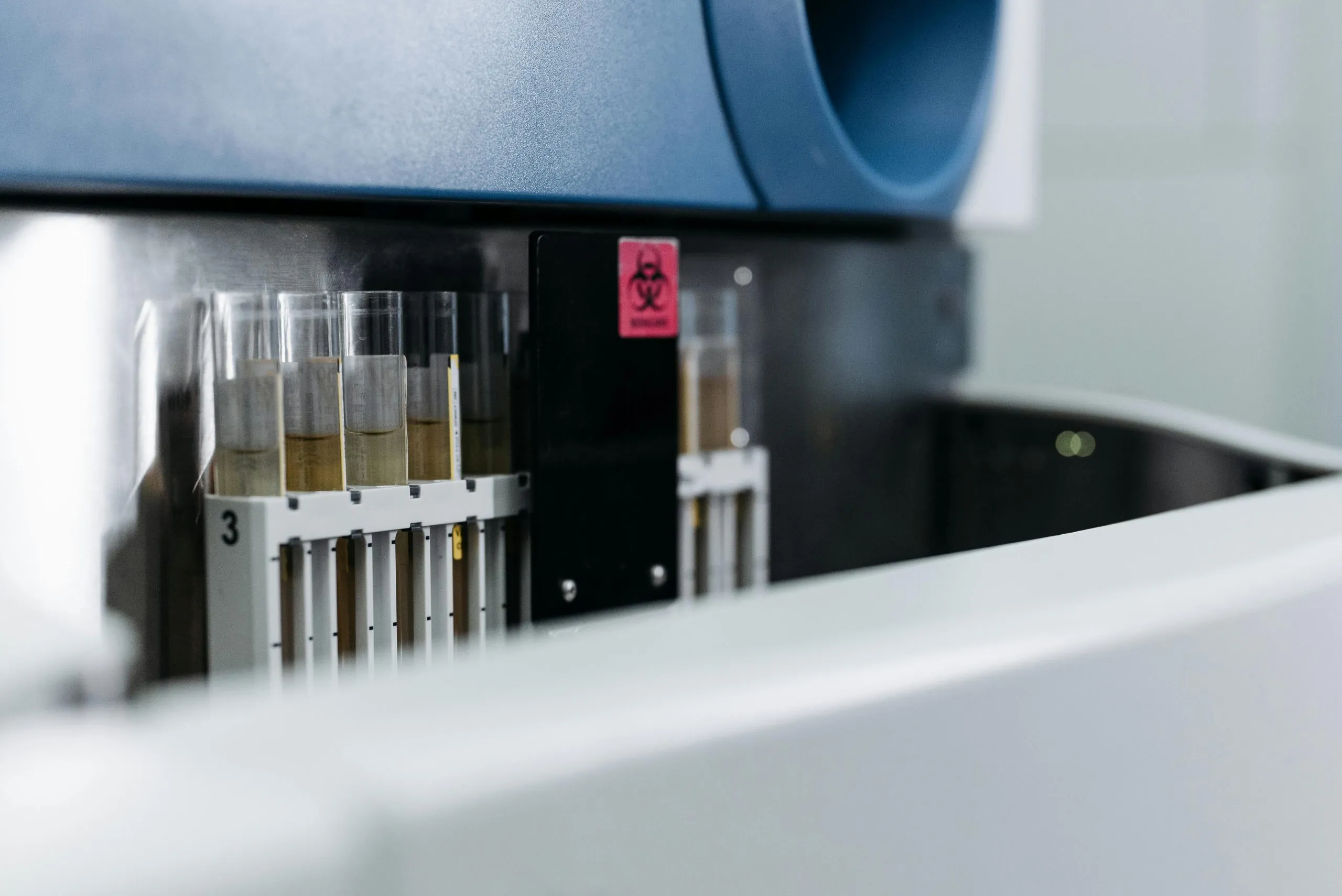
Many clinical and veterinary analysers do not write result files. They hold a network or serial connection to a host system and send each result as a message, in ASTM (LIS2-A2) or HL7 v2. For these instruments, file imports do not apply. senaite.astm is the middleware for them: a small Python 3 service that listens for the instrument, parses each message and forwards it to SENAITE.
Version 2.0 is on the 2.x branch of the repository. It is not
published on PyPI yet; install it from GitHub.
How the pieces fit
%3btext-align:center%3b%7d%23mermaid-0 .edgeLabel p%7bbackground-color:rgba(232%2c232%2c232%2c 0.8)%3b%7d%23mermaid-0 .edgeLabel rect%7bopacity:0.5%3bbackground-color:rgba(232%2c232%2c232%2c 0.8)%3bfill:rgba(232%2c232%2c232%2c 0.8)%3b%7d%23mermaid-0 .labelBkg%7bbackground-color:rgba(232%2c 232%2c 232%2c 0.5)%3b%7d%23mermaid-0 .cluster rect%7bfill:%23ffffde%3bstroke:%23aaaa33%3bstroke-width:1px%3b%7d%23mermaid-0 .cluster text%7bfill:%23333%3b%7d%23mermaid-0 .cluster span%7bcolor:%23333%3b%7d%23mermaid-0 div.mermaidTooltip%7bposition:absolute%3btext-align:center%3bmax-width:200px%3bpadding:2px%3bfont-family:arial%2csans-serif%3bfont-size:12px%3bbackground:hsl(80%2c 100%25%2c 96.2745098039%25)%3bborder:1px solid %23aaaa33%3bborder-radius:2px%3bpointer-events:none%3bz-index:100%3b%7d%23mermaid-0 .flowchartTitleText%7btext-anchor:middle%3bfont-size:18px%3bfill:%23333%3b%7d%23mermaid-0 rect.text%7bfill:none%3bstroke-width:0%3b%7d%23mermaid-0 .icon-shape%2c%23mermaid-0 .image-shape%7bbackground-color:rgba(232%2c232%2c232%2c 0.8)%3btext-align:center%3b%7d%23mermaid-0 .icon-shape p%2c%23mermaid-0 .image-shape p%7bbackground-color:rgba(232%2c232%2c232%2c 0.8)%3bpadding:2px%3b%7d%23mermaid-0 .icon-shape .label rect%2c%23mermaid-0 .image-shape .label rect%7bopacity:0.5%3bbackground-color:rgba(232%2c232%2c232%2c 0.8)%3bfill:rgba(232%2c232%2c232%2c 0.8)%3b%7d%23mermaid-0 .label-icon%7bdisplay:inline-block%3bheight:1em%3boverflow:visible%3bvertical-align:-0.125em%3b%7d%23mermaid-0 .node .label-icon path%7bfill:currentColor%3bstroke:revert%3bstroke-width:revert%3b%7d%23mermaid-0 .node .neo-node%7bstroke:%239370DB%3b%7d%23mermaid-0 %5bdata-look='neo'%5d.node rect%2c%23mermaid-0 %5bdata-look='neo'%5d.cluster rect%2c%23mermaid-0 %5bdata-look='neo'%5d.node polygon%7bstroke:%239370DB%3bfilter:drop-shadow(1px 2px 2px rgba(185%2c 185%2c 185%2c 1))%3b%7d%23mermaid-0 %5bdata-look='neo'%5d.swimlane.cluster rect%7bfilter:none%3b%7d%23mermaid-0 %5bdata-look='neo'%5d.node path%7bstroke:%239370DB%3bstroke-width:1px%3b%7d%23mermaid-0 %5bdata-look='neo'%5d.node .outer-path%7bfilter:drop-shadow(1px 2px 2px rgba(185%2c 185%2c 185%2c 1))%3b%7d%23mermaid-0 %5bdata-look='neo'%5d.node .neo-line path%7bstroke:%239370DB%3bfilter:none%3b%7d%23mermaid-0 %5bdata-look='neo'%5d.node circle%7bstroke:%239370DB%3bfilter:drop-shadow(1px 2px 2px rgba(185%2c 185%2c 185%2c 1))%3b%7d%23mermaid-0 %5bdata-look='neo'%5d.node circle .state-start%7bfill:black%3b%7d%23mermaid-0 %5bdata-look='neo'%5d.icon-shape .icon%7bfill:%239370DB%3bfilter:drop-shadow(1px 2px 2px rgba(185%2c 185%2c 185%2c 1))%3b%7d%23mermaid-0 %5bdata-look='neo'%5d.icon-shape .icon-neo path%7bstroke:%239370DB%3bfilter:drop-shadow(1px 2px 2px rgba(185%2c 185%2c 185%2c 1))%3b%7d%23mermaid-0 .node%26gt%3brect%2c%23mermaid-0 .node%26gt%3bpolygon%2c%23mermaid-0 .node%26gt%3bcircle%2c%23mermaid-0 .node%26gt%3bpath%7bfill:transparent!important%3bstroke:rgb(122%2c 122%2c 122)!important%3b%7d%23mermaid-0 .cluster%26gt%3brect%7bfill:transparent!important%3bstroke:rgb(122%2c 122%2c 122)!important%3b%7d%23mermaid-0 .nodeLabel%2c%23mermaid-0 .cluster-label span%7bcolor:rgb(85%2c 85%2c 85)!important%3bfill:rgb(85%2c 85%2c 85)!important%3b%7d%23mermaid-0 .edgeLabel%7bbackground:transparent!important%3bcolor:rgb(85%2c 85%2c 85)!important%3b%7d%23mermaid-0 .edgeLabel rect%2c%23mermaid-0 .edgeLabel span%7bbackground:transparent!important%3bfill:transparent!important%3b%7d%23mermaid-0 .flowchart-link%2c%23mermaid-0 .path%2c%23mermaid-0 .messageLine0%2c%23mermaid-0 .messageLine1%7bstroke:rgb(122%2c 122%2c 122)!important%3bfill:none!important%3b%7d%23mermaid-0 .arrowMarkerPath%2c%23mermaid-0 marker path%7bfill:rgb(122%2c 122%2c 122)!important%3bstroke:rgb(122%2c 122%2c 122)!important%3b%7d%23mermaid-0 :root%7b--mermaid-font-family:arial%2csans-serif%3b%7d%3c/style%3e%3cg%3e%3cmarker id='mermaid-0_flowchart-v2-pointEnd' class='marker flowchart-v2' viewBox='0 0 10 10' refX='5' refY='5' markerUnits='userSpaceOnUse' markerWidth='8' markerHeight='8' orient='auto'%3e%3cpath d='M 0 0 L 10 5 L 0 10 z' class='arrowMarkerPath' style='stroke-width: 1%3b stroke-dasharray: 1%2c 0%3b'/%3e%3c/marker%3e%3cmarker id='mermaid-0_flowchart-v2-pointStart' class='marker flowchart-v2' viewBox='0 0 10 10' refX='4.5' refY='5' markerUnits='userSpaceOnUse' markerWidth='8' markerHeight='8' orient='auto'%3e%3cpath d='M 0 5 L 10 10 L 10 0 z' class='arrowMarkerPath' style='stroke-width: 1%3b stroke-dasharray: 1%2c 0%3b'/%3e%3c/marker%3e%3cmarker id='mermaid-0_flowchart-v2-pointEnd-margin' class='marker flowchart-v2' viewBox='0 0 11.5 14' refX='11.5' refY='7' markerUnits='userSpaceOnUse' markerWidth='10.5' markerHeight='14' orient='auto'%3e%3cpath d='M 0 0 L 11.5 7 L 0 14 z' class='arrowMarkerPath' style='stroke-width: 0%3b stroke-dasharray: 1%2c 0%3b'/%3e%3c/marker%3e%3cmarker id='mermaid-0_flowchart-v2-pointStart-margin' class='marker flowchart-v2' viewBox='0 0 11.5 14' refX='1' refY='7' markerUnits='userSpaceOnUse' markerWidth='11.5' markerHeight='14' orient='auto'%3e%3cpolygon points='0%2c7 11.5%2c14 11.5%2c0' class='arrowMarkerPath' style='stroke-width: 0%3b stroke-dasharray: 1%2c 0%3b'/%3e%3c/marker%3e%3cmarker id='mermaid-0_flowchart-v2-circleEnd' class='marker flowchart-v2' viewBox='0 0 10 10' refX='11' refY='5' markerUnits='userSpaceOnUse' markerWidth='11' markerHeight='11' orient='auto'%3e%3ccircle cx='5' cy='5' r='5' class='arrowMarkerPath' style='stroke-width: 1%3b stroke-dasharray: 1%2c 0%3b'/%3e%3c/marker%3e%3cmarker id='mermaid-0_flowchart-v2-circleStart' class='marker flowchart-v2' viewBox='0 0 10 10' refX='-1' refY='5' markerUnits='userSpaceOnUse' markerWidth='11' markerHeight='11' orient='auto'%3e%3ccircle cx='5' cy='5' r='5' class='arrowMarkerPath' style='stroke-width: 1%3b stroke-dasharray: 1%2c 0%3b'/%3e%3c/marker%3e%3cmarker id='mermaid-0_flowchart-v2-circleEnd-margin' class='marker flowchart-v2' viewBox='0 0 10 10' refY='5' refX='12.25' markerUnits='userSpaceOnUse' markerWidth='14' markerHeight='14' orient='auto'%3e%3ccircle cx='5' cy='5' r='5' class='arrowMarkerPath' style='stroke-width: 0%3b stroke-dasharray: 1%2c 0%3b'/%3e%3c/marker%3e%3cmarker id='mermaid-0_flowchart-v2-circleStart-margin' class='marker flowchart-v2' viewBox='0 0 10 10' refX='-2' refY='5' markerUnits='userSpaceOnUse' markerWidth='14' markerHeight='14' orient='auto'%3e%3ccircle cx='5' cy='5' r='5' class='arrowMarkerPath' style='stroke-width: 0%3b stroke-dasharray: 1%2c 0%3b'/%3e%3c/marker%3e%3cmarker id='mermaid-0_flowchart-v2-crossEnd' class='marker cross flowchart-v2' viewBox='0 0 11 11' refX='12' refY='5.2' markerUnits='userSpaceOnUse' markerWidth='11' markerHeight='11' orient='auto'%3e%3cpath d='M 1%2c1 l 9%2c9 M 10%2c1 l -9%2c9' class='arrowMarkerPath' style='stroke-width: 2%3b stroke-dasharray: 1%2c 0%3b'/%3e%3c/marker%3e%3cmarker id='mermaid-0_flowchart-v2-crossStart' class='marker cross flowchart-v2' viewBox='0 0 11 11' refX='-1' refY='5.2' markerUnits='userSpaceOnUse' markerWidth='11' markerHeight='11' orient='auto'%3e%3cpath d='M 1%2c1 l 9%2c9 M 10%2c1 l -9%2c9' class='arrowMarkerPath' style='stroke-width: 2%3b stroke-dasharray: 1%2c 0%3b'/%3e%3c/marker%3e%3cmarker id='mermaid-0_flowchart-v2-crossEnd-margin' class='marker cross flowchart-v2' viewBox='0 0 15 15' refX='17.7' refY='7.5' markerUnits='userSpaceOnUse' markerWidth='12' markerHeight='12' orient='auto'%3e%3cpath d='M 1%2c1 L 14%2c14 M 1%2c14 L 14%2c1' class='arrowMarkerPath' style='stroke-width: 2.5%3b'/%3e%3c/marker%3e%3cmarker id='mermaid-0_flowchart-v2-crossStart-margin' class='marker cross flowchart-v2' viewBox='0 0 15 15' refX='-3.5' refY='7.5' markerUnits='userSpaceOnUse' markerWidth='12' markerHeight='12' orient='auto'%3e%3cpath d='M 1%2c1 L 14%2c14 M 1%2c14 L 14%2c1' class='arrowMarkerPath' style='stroke-width: 2.5%3b stroke-dasharray: 1%2c 0%3b'/%3e%3c/marker%3e%3cg class='root'%3e%3cg class='clusters'/%3e%3cg class='edgePaths'%3e%3cpath d='M130.25%2c35L142.493%2c35C154.737%2c35%2c179.224%2c35%2c203.044%2c35C226.865%2c35%2c250.018%2c35%2c261.595%2c35L273.172%2c35' id='mermaid-0-L_A_B_0' class='edge-thickness-normal edge-pattern-solid edge-thickness-normal edge-pattern-solid flowchart-link' style='%3b' data-edge='true' data-et='edge' data-id='L_A_B_0' data-points='W3sieCI6MTMwLjI1LCJ5IjozNX0seyJ4IjoyMDMuNzEwOTM3NSwieSI6MzV9LHsieCI6Mjc3LjE3MTg3NSwieSI6MzV9XQ==' data-look='classic' marker-end='url(%23mermaid-0_flowchart-v2-pointEnd)'/%3e%3cpath d='M427.891%2c35L441.396%2c35C454.901%2c35%2c481.911%2c35%2c508.255%2c35C534.599%2c35%2c560.276%2c35%2c573.115%2c35L585.953%2c35' id='mermaid-0-L_B_C_0' class='edge-thickness-normal edge-pattern-solid edge-thickness-normal edge-pattern-solid flowchart-link' style='%3b' data-edge='true' data-et='edge' data-id='L_B_C_0' data-points='W3sieCI6NDI3Ljg5MDYyNSwieSI6MzV9LHsieCI6NTA4LjkyMTg3NSwieSI6MzV9LHsieCI6NTg5Ljk1MzEyNSwieSI6MzV9XQ==' data-look='classic' marker-end='url(%23mermaid-0_flowchart-v2-pointEnd)'/%3e%3cpath d='M823.391%2c35L827.557%2c35C831.724%2c35%2c840.057%2c35%2c847.724%2c35C855.391%2c35%2c862.391%2c35%2c865.891%2c35L869.391%2c35' id='mermaid-0-L_C_D_0' class='edge-thickness-normal edge-pattern-solid edge-thickness-normal edge-pattern-solid flowchart-link' style='%3b' data-edge='true' data-et='edge' data-id='L_C_D_0' data-points='W3sieCI6ODIzLjM5MDYyNSwieSI6MzV9LHsieCI6ODQ4LjM5MDYyNSwieSI6MzV9LHsieCI6ODczLjM5MDYyNSwieSI6MzV9XQ==' data-look='classic' marker-end='url(%23mermaid-0_flowchart-v2-pointEnd)'/%3e%3cpath d='M1124.563%2c35L1128.729%2c35C1132.896%2c35%2c1141.229%2c35%2c1148.896%2c35C1156.563%2c35%2c1163.563%2c35%2c1167.063%2c35L1170.563%2c35' id='mermaid-0-L_D_E_0' class='edge-thickness-normal edge-pattern-solid edge-thickness-normal edge-pattern-solid flowchart-link' style='%3b' data-edge='true' data-et='edge' data-id='L_D_E_0' data-points='W3sieCI6MTEyNC41NjI1LCJ5IjozNX0seyJ4IjoxMTQ5LjU2MjUsInkiOjM1fSx7IngiOjExNzQuNTYyNSwieSI6MzV9XQ==' data-look='classic' marker-end='url(%23mermaid-0_flowchart-v2-pointEnd)'/%3e%3c/g%3e%3cg class='edgeLabels'%3e%3cg class='edgeLabel' transform='translate(203.7109375%2c 35)'%3e%3cg class='label' data-id='L_A_B_0' transform='translate(-48.4609375%2c -12)'%3e%3cforeignObject width='96.921875' height='24'%3e%3cdiv xmlns='http://www.w3.org/1999/xhtml' class='labelBkg' style='display: table-cell%3b white-space: nowrap%3b line-height: 1.5%3b max-width: 200px%3b text-align: center%3b'%3e%3cspan class='edgeLabel'%3e%3cp%3eASTM or HL7%3c/p%3e%3c/span%3e%3c/div%3e%3c/foreignObject%3e%3c/g%3e%3c/g%3e%3cg class='edgeLabel' transform='translate(508.921875%2c 35)'%3e%3cg class='label' data-id='L_B_C_0' transform='translate(-56.03125%2c -12)'%3e%3cforeignObject width='112.0625' height='24'%3e%3cdiv xmlns='http://www.w3.org/1999/xhtml' class='labelBkg' style='display: table-cell%3b white-space: nowrap%3b line-height: 1.5%3b max-width: 200px%3b text-align: center%3b'%3e%3cspan class='edgeLabel'%3e%3cp%3eJSON envelope%3c/p%3e%3c/span%3e%3c/div%3e%3c/foreignObject%3e%3c/g%3e%3c/g%3e%3cg class='edgeLabel'%3e%3cg class='label' data-id='L_C_D_0' transform='translate(0%2c 0)'%3e%3cforeignObject width='0' height='0'%3e%3cdiv xmlns='http://www.w3.org/1999/xhtml' class='labelBkg' style='display: table-cell%3b white-space: nowrap%3b line-height: 1.5%3b max-width: 200px%3b text-align: center%3b'%3e%3cspan class='edgeLabel'%3e%3c/span%3e%3c/div%3e%3c/foreignObject%3e%3c/g%3e%3c/g%3e%3cg class='edgeLabel'%3e%3cg class='label' data-id='L_D_E_0' transform='translate(0%2c 0)'%3e%3cforeignObject width='0' height='0'%3e%3cdiv xmlns='http://www.w3.org/1999/xhtml' class='labelBkg' style='display: table-cell%3b white-space: nowrap%3b line-height: 1.5%3b max-width: 200px%3b text-align: center%3b'%3e%3cspan class='edgeLabel'%3e%3c/span%3e%3c/div%3e%3c/foreignObject%3e%3c/g%3e%3c/g%3e%3c/g%3e%3cg class='nodes'%3e%3cg class='node default' id='mermaid-0-flowchart-A-0' data-look='classic' transform='translate(69.125%2c 35)'%3e%3crect class='basic label-container' style='' x='-61.125' y='-27' width='122.25' height='54'/%3e%3cg class='label' style='' transform='translate(-31.125%2c -12)'%3e%3crect/%3e%3cforeignObject width='62.25' height='24'%3e%3cdiv xmlns='http://www.w3.org/1999/xhtml' style='display: table-cell%3b white-space: nowrap%3b line-height: 1.5%3b max-width: 200px%3b text-align: center%3b'%3e%3cspan class='nodeLabel'%3e%3cp%3eAnalyser%3c/p%3e%3c/span%3e%3c/div%3e%3c/foreignObject%3e%3c/g%3e%3c/g%3e%3cg class='node default' id='mermaid-0-flowchart-B-1' data-look='classic' transform='translate(352.53125%2c 35)'%3e%3crect class='basic label-container' style='' x='-75.359375' y='-27' width='150.71875' height='54'/%3e%3cg class='label' style='' transform='translate(-45.359375%2c -12)'%3e%3crect/%3e%3cforeignObject width='90.71875' height='24'%3e%3cdiv xmlns='http://www.w3.org/1999/xhtml' style='display: table-cell%3b white-space: nowrap%3b line-height: 1.5%3b max-width: 200px%3b text-align: center%3b'%3e%3cspan class='nodeLabel'%3e%3cp%3esenaite.astm%3c/p%3e%3c/span%3e%3c/div%3e%3c/foreignObject%3e%3c/g%3e%3c/g%3e%3cg class='node default' id='mermaid-0-flowchart-C-3' data-look='classic' transform='translate(706.671875%2c 35)'%3e%3crect class='basic label-container' style='' x='-116.71875' y='-27' width='233.4375' height='54'/%3e%3cg class='label' style='' transform='translate(-86.71875%2c -12)'%3e%3crect/%3e%3cforeignObject width='173.4375' height='24'%3e%3cdiv xmlns='http://www.w3.org/1999/xhtml' style='display: table-cell%3b white-space: nowrap%3b line-height: 1.5%3b max-width: 200px%3b text-align: center%3b'%3e%3cspan class='nodeLabel'%3e%3cp%3eSENAITE push endpoint%3c/p%3e%3c/span%3e%3c/div%3e%3c/foreignObject%3e%3c/g%3e%3c/g%3e%3cg class='node default' id='mermaid-0-flowchart-D-5' data-look='classic' transform='translate(998.9765625%2c 35)'%3e%3crect class='basic label-container' style='' x='-125.5859375' y='-27' width='251.171875' height='54'/%3e%3cg class='label' style='' transform='translate(-95.5859375%2c -12)'%3e%3crect/%3e%3cforeignObject width='191.171875' height='24'%3e%3cdiv xmlns='http://www.w3.org/1999/xhtml' style='display: table-cell%3b white-space: nowrap%3b line-height: 1.5%3b max-width: 200px%3b text-align: center%3b'%3e%3cspan class='nodeLabel'%3e%3cp%3eImporter for this instrument%3c/p%3e%3c/span%3e%3c/div%3e%3c/foreignObject%3e%3c/g%3e%3c/g%3e%3cg class='node default' id='mermaid-0-flowchart-E-7' data-look='classic' transform='translate(1237.0234375%2c 35)'%3e%3crect class='basic label-container' style='' x='-62.4609375' y='-27' width='124.921875' height='54'/%3e%3cg class='label' style='' transform='translate(-32.4609375%2c -12)'%3e%3crect/%3e%3cforeignObject width='64.921875' height='24'%3e%3cdiv xmlns='http://www.w3.org/1999/xhtml' style='display: table-cell%3b white-space: nowrap%3b line-height: 1.5%3b max-width: 200px%3b text-align: center%3b'%3e%3cspan class='nodeLabel'%3e%3cp%3eAnalyses%3c/p%3e%3c/span%3e%3c/div%3e%3c/foreignObject%3e%3c/g%3e%3c/g%3e%3c/g%3e%3c/g%3e%3c/g%3e%3cdefs%3e%3cfilter id='mermaid-0-drop-shadow' height='130%25' width='130%25'%3e%3cfeDropShadow dx='4' dy='4' stdDeviation='0' flood-opacity='0.06' flood-color='black'/%3e%3c/filter%3e%3c/defs%3e%3cdefs%3e%3cfilter id='mermaid-0-drop-shadow-small' height='150%25' width='150%25'%3e%3cfeDropShadow dx='2' dy='2' stdDeviation='0' flood-opacity='0.06' flood-color='black'/%3e%3c/filter%3e%3c/defs%3e%3c/svg%3e)
senaite.astm accepts the connection, handles the protocol handshake, and parses the message into a JSON envelope with one bucket per record type: header (H), patient (P), order (O), result (R), comment (C) and a few more. It posts the envelope to the SENAITE JSON API push endpoint.
SENAITE core receives the envelope through the push consumer
senaite.core.lis2a.import. The consumer reads the sender name from
the header and hands the envelope to an importer registered under
that name. The base importer finds the instrument in SENAITE by
model or title and serial number, and finds the sample by the ID
in the message.
The importer for the instrument decides what goes where: which result record belongs to which analysis keyword, what to do with flags and units, whether to attach the raw message. This part is written per instrument model in the project add-on. senaite.astm knows how to parse an instrument’s messages; it does not know how your lab has named its analysis services.
That split is the most important thing to understand before planning an integration. The middleware is ready for the instruments it supports. The mapping to your analysis services is project work, usually a small amount once real messages are available.
Instruments with a parsing schema
Version 2.0 ships message schemas for Abbott Afinion 2, bioMérieux mini VIDAS, Siemens DCA Vantage, Cepheid GeneXpert, Hitachi 7600, Horiba Pentra XLR, Horiba Yumizen H5xx, Roche cobas c111 and c311, Spotchem EL (SE-1520), Sysmex XN and Sysmex XP. Instruments outside the list often speak close enough to standard ASTM that a new schema is a short piece of work, but that has to be checked against the instrument’s interface specification.
What is new in 2.0
An HL7 v2 listener. senaite-hl7-server listens for HL7 v2
over MLLP, by default on port 2575, and acknowledges every message
on the transport level. It maps the segments into the same buckets
the ASTM parser produces: MSH to H, PID to P, OBR to O, OBX to R,
NTE to C. Fields are keyed by their HL7 field number, so OBX-3 is
R[i]["3"]. Segments outside this list are kept under
metadata.unmapped_segments, and the original message text under
metadata.hl7. An importer can therefore treat ASTM and HL7
instruments alike.
One limit to know: the HL7 server’s default consumer name,
senaite.core.hl7.import, is not registered by SENAITE core.
Pushing HL7 results into SENAITE needs a consumer and importer on
the project side. Without --url, the HL7 server runs capture-only.
Capture-only mode. senaite-astm-server --capture-only -o DIR
accepts connections and writes every session to disk, without
contacting SENAITE. Combining it with --url is rejected, so a
misconfigured service fails at start instead of silently dropping
messages.
Captures in normal operation. With -o DIR set, every session
is also written to disk while results are forwarded, with
microsecond timestamps in the file names. If SENAITE is down and the
push retries are exhausted, the capture is still there to replay.
A replay and conversion tool. senaite-astm-send sends captured
files to SENAITE again. Useful options: --dry-run shows what would
be sent, --validate-only checks that a capture parses,
--substitute-sample-id OLD=NEW retargets a capture to a test
sample (with --rebuild-checksums, because the edit breaks the
frame checksum), and --scrub-phi replaces every patient field not
on a short allowlist with <REDACTED> before a capture goes to a
test system.
An inspection tool. senaite-astm-inspect reads captures
without sending anything: instrument shows which schema matched,
summary counts the records per file, diff compares two parsed
captures.
A stats endpoint. --admin-port opens a read-only HTTP endpoint
whose GET /stats returns JSON with uptime_seconds,
active_sessions, frames_dispatched and last_dispatch_at. It
binds to 127.0.0.1 by default, because it has no authentication.
Operational hardening. The push to SENAITE has a timeout
(10 seconds to connect, 60 to read) and retries (-r, default 3,
-d, default 5 seconds apart); 401 and 403 responses are not
retried, since they need new credentials, not patience. On SIGTERM
the server waits up to --shutdown-grace-seconds (default 30) for
messages in flight.
Commissioning an instrument
This is the order we follow when a new analyser is connected.
- Capture first. Run the server in capture-only mode on the instrument network and let the instrument send a normal day’s work, including a QC run and a repeat measurement.
- Inspect.
senaite-astm-inspect summaryandinstrumentshow whether the schema matches and what the messages contain: where the sample ID sits, which test codes the results carry, which flags appear. - Write the importer. Map the instrument’s test codes to the lab’s analysis keywords in the project add-on, using the real captures as test data.
- Replay against a test system.
senaite-astm-sendwith--substitute-sample-idand--scrub-phipushes the captures into a test SENAITE with test samples, until every result lands where it should. - Go live with
-oand--urlboth set, so every message is kept on disk as well as forwarded.
Running it
A minimal production start of the ASTM listener:
senaite-astm-server \
    -p 4010 \
    -o /var/lib/senaite-astm/captures \
    -u https://user:password@lims.example.com/senaite \
    --admin-port 4011 \
    --logfile /var/log/senaite-astm/server.log
The repository’s deployment notes contain a systemd unit and a supervisord section. Run the listener as its own user, firewall the listening port to the instrument network, and keep the credentials out of the unit file. Give the listener a SENAITE account of its own, so its imports are recognisable in the audit log.
For monitoring, poll /stats: uptime_seconds should grow between
calls, and last_dispatch_at should not be older than the usual gap
between messages during working hours. An instrument that stopped
sending is noticed by the lab eventually; an alert notices it first.
When to talk to us
If you plan to connect analysers that speak ASTM or HL7, send us the instrument model and its host interface specification first. That tells us whether a schema exists, what the importer needs, and how much of the work is configuration. Get in touch.