

Spotlight is the little search box that pops up when you hit the hotkey. It has always been useful. This release makes it worth learning.
Search that understands what you mean
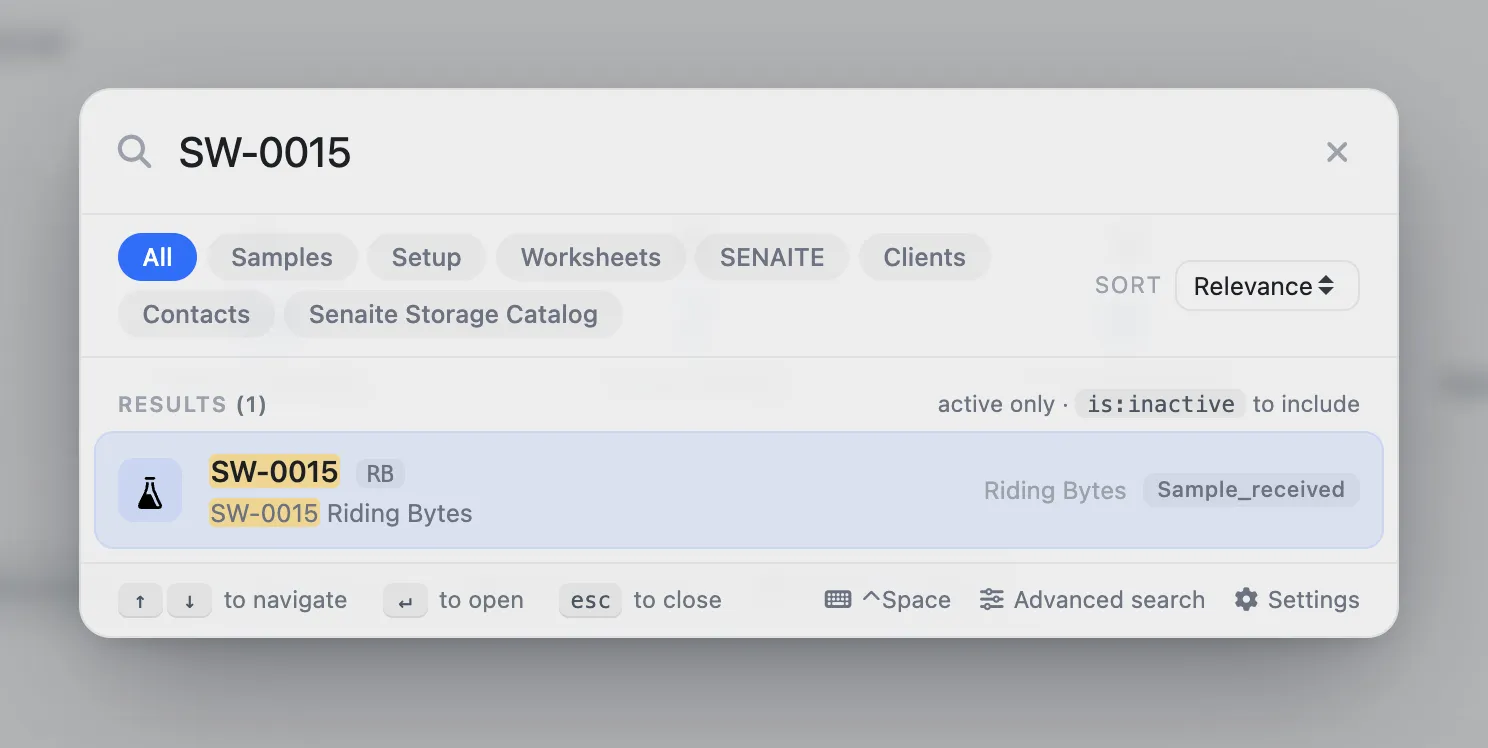
Typing a sample ID and hitting return still works. What is new:
- Scope by catalog.
s:waternarrows to the samples catalog by prefix. Combine with a term:s:water CA20. - Filter by workflow state.
is:receivednarrows to received samples.is:verified,is:published, and so on. Combine:s:water is:received. - Include or exclude deactivated objects. By default they are
hidden;
is:inactivereveals them. - Ranked relevance across catalogs. Results from samples, clients, worksheets, storage sort into one list by closest match, rather than one lump per catalog.
The prompt still lists everything as you type. Once your team learns three prefixes, spotlight becomes noticeably faster than clicking through folders.
A command palette, not just a search
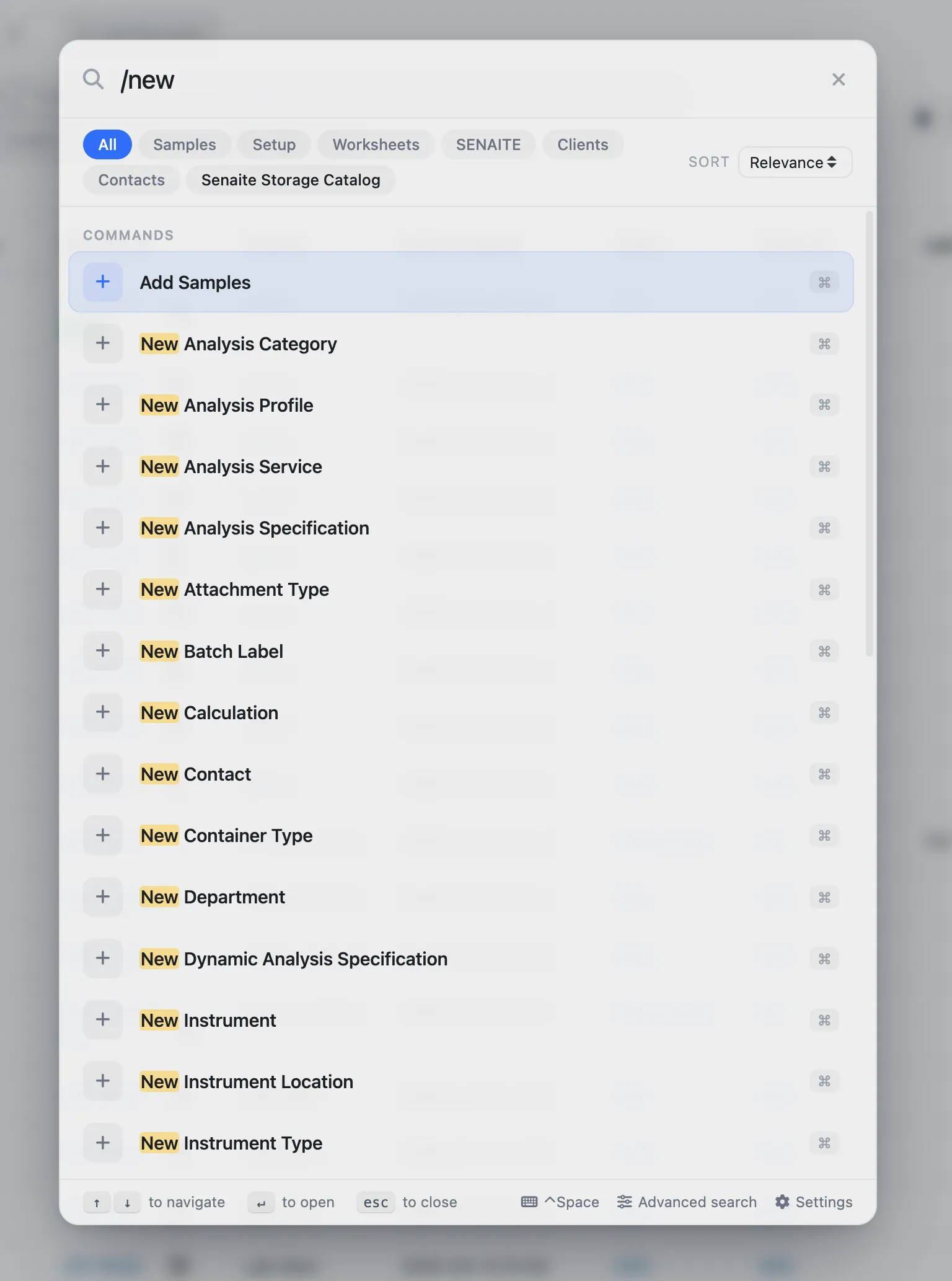
Type / in spotlight and you see every action you have
permission to run. /add and /new both narrow to add-object
commands: add sample, add client, add worksheet. Add-ons
register their own commands the same way, so a new module adds
its actions to the palette without editing the control panel.
A full results page for the deep search
When the ten-item overlay is not enough — you are hunting
through a year of samples for a specific batch — the
overlay now opens a dedicated results page. Catalog tabs,
pagination, breadcrumbs, the same is: filters. Reachable from
the overlay footer.
Client contacts see only what they should
Before this release, a client contact could spotlight-search for a laboratory object they had no access to, click through, and land on “insufficient privileges”. Not a data leak, but a poor experience.
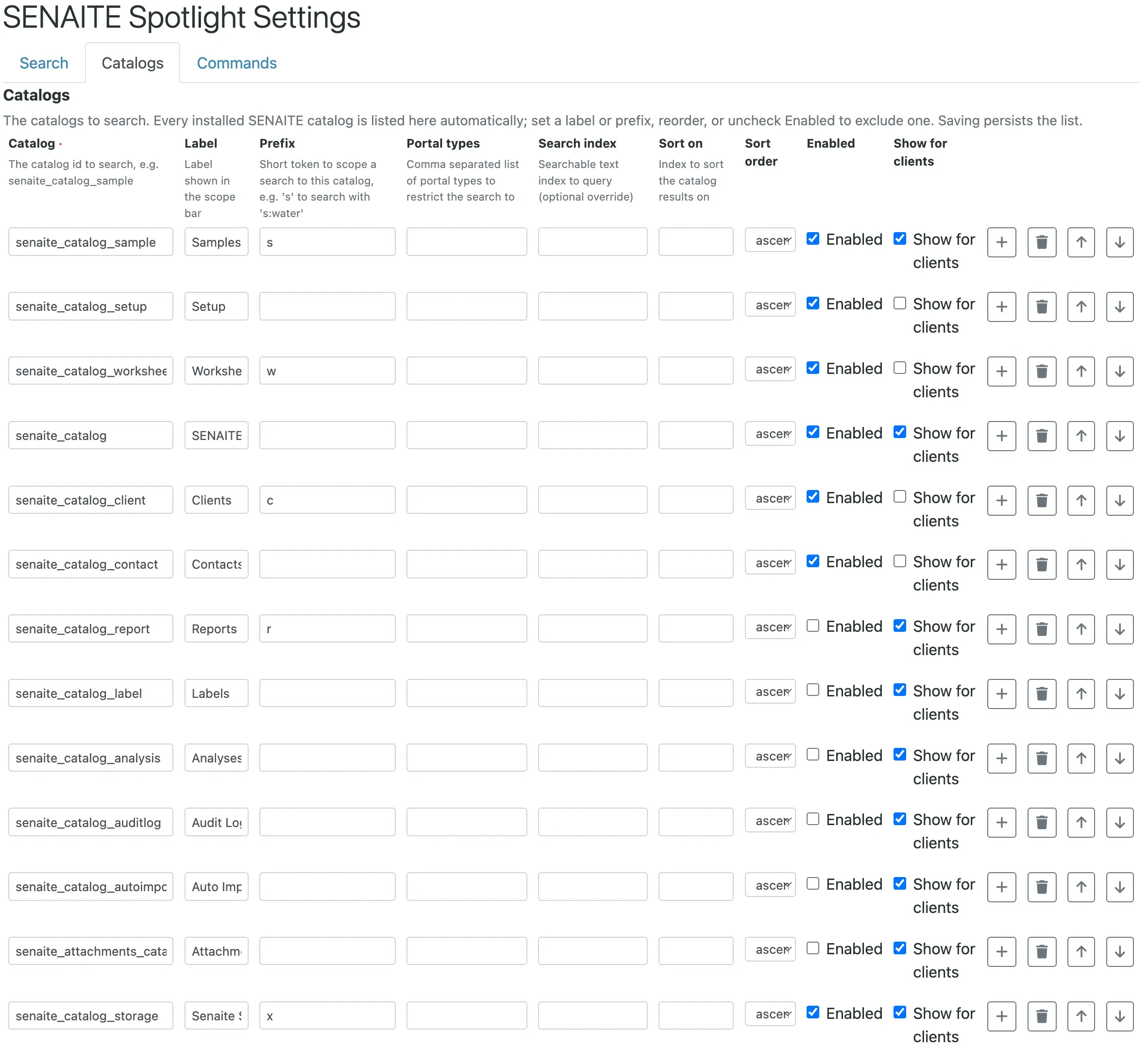
Every catalog now carries a Show for clients flag in the spotlight control panel. Setup, worksheets, clients, and contacts catalogs ship it off. Everything else ships it on. Lab staff are never restricted — client detection sits on the contact link, and lab users have none.
Self-configuring add-ons
Installing senaite.storage used to require an admin to open the
spotlight control panel and add its catalogs by hand. That step
is gone. Any add-on catalog that follows the SENAITE convention
shows up in spotlight automatically. Internal bookkeeping
catalogs (analyses, audit log) stay disabled by default so they
do not pollute the results, and are one click from enabled if you
want them.
Under the hood
For the technically curious: the plugin was rewritten as a React
component consuming the shared React the core exposes via
vendor-react.js. The control panel replaced a hand-rolled
config with a DataGridField. Auto-discovery uses the
ISenaiteCatalogObject marker interface, and access rules attach
a per-catalog boolean to each row that is checked against
api.get_current_client at query time. The relevant PRs:
#33
(rewrite),
#34
(auto-discovery),
#36
(client-contact access rules). An in-flight
#37
polishes catalog handling further.