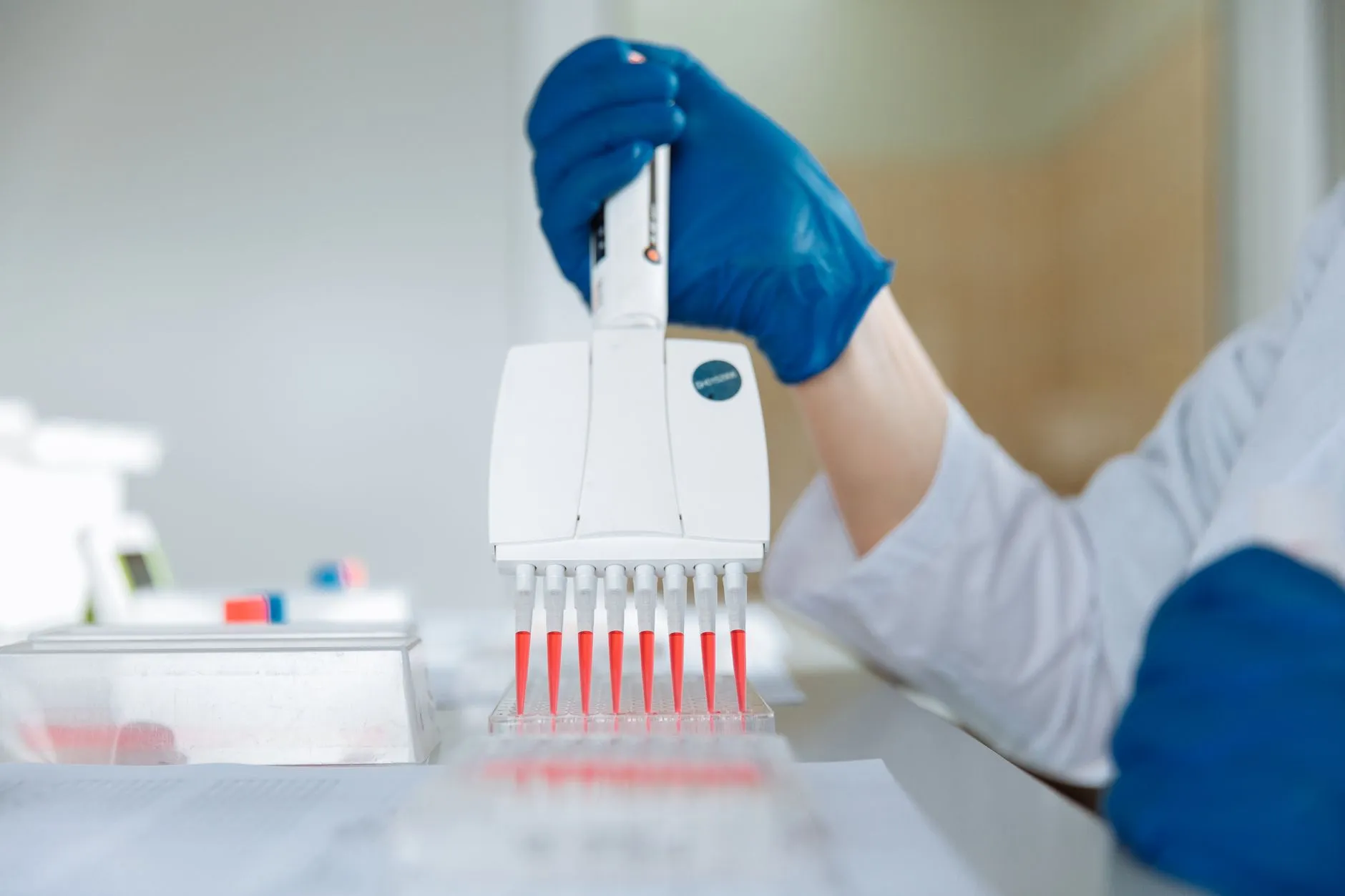
A drinking water sample arrives with three tests ordered: E. coli for the microbiology lab, dissolved metals for ICP and nitrate for the chemistry bench. Microbiology needs a sterile bottle, the metals need an acidified one, nitrate can stay where it is. Physically, the lab now has three containers. In SENAITE, this is what partitions (also called aliquots) are for.
What a partition is
A partition is a full sample in its own right, created from a primary sample and linked to it. It has its own ID, its own sample type, container and preservation, its own analyses and its own workflow state. It inherits everything that describes where the material came from: client, contact, sample point, date sampled and the other fields of the primary. Remarks, attachments, profiles and the results interpretation are not copied.
With the default ID format, partitions take the ID of the primary
and add a counter: DW-0042-P01, DW-0042-P02. The
ID Server post
explains how to change that.
Creating partitions
Partitions are created from a sample that has been received, either from the sample listing or from the sample itself, with the action Create partitions. Out of the box, Lab Clerks and Lab Managers may do this. Client contacts may not.
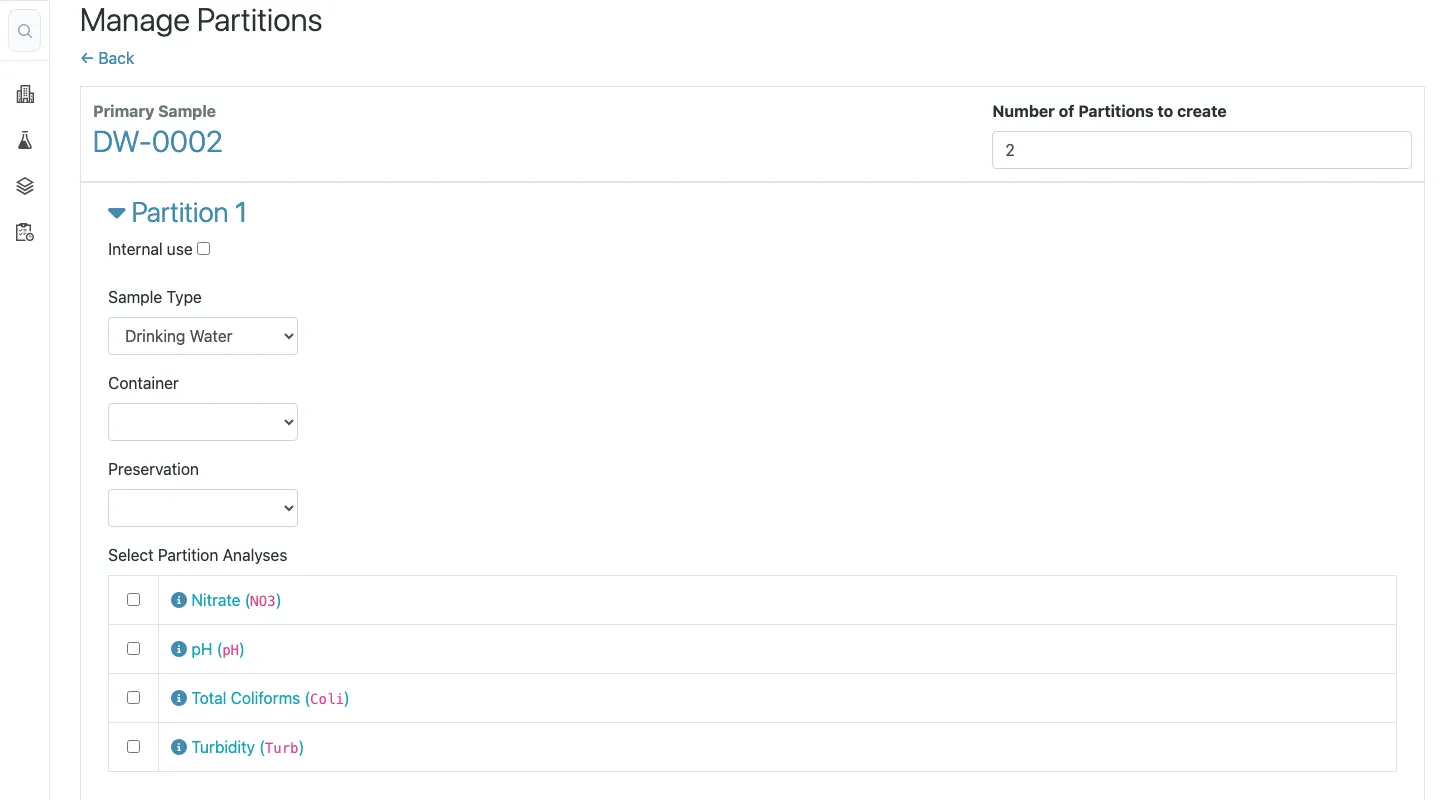
The form asks how many partitions to create. After Preview, each partition gets a row where you set sample type, container and preservation, and tick the analyses it should carry. For the example:
| Partition | Container | Preservation | Analyses |
|---|---|---|---|
DW-0042-P01 | Sterile bottle | Cooled | E. coli, coliforms |
DW-0042-P02 | PE bottle 100 mL | HNO3, pH below 2 | Fe, Mn, Cu, Pb |
Nitrate is not assigned to a partition and stays on the primary.
The analyses you tick are moved, not copied. They leave the
primary and belong to the partition from then on. The partitions
are created in Received with the reception date of the primary,
so work can start immediately.
A partition cannot be partitioned again. If a partition needs to be split further, detach it first (see below).
How results flow back
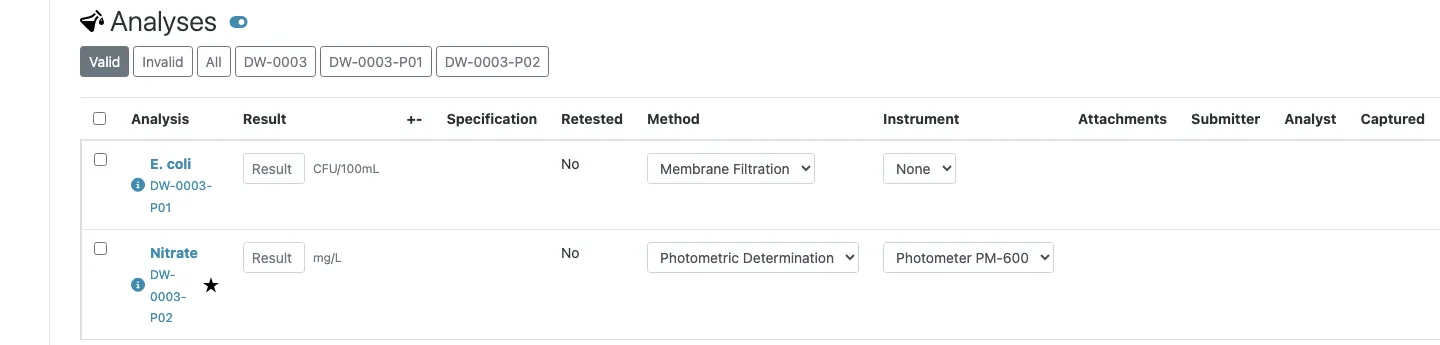
The primary sample keeps showing all analyses, including those
that now live in its partitions. Results can be entered in the
partition or in the primary, whichever is closer to the bench.
The microbiology analyst works on DW-0042-P01; the lab manager
reviewing the whole job opens DW-0042 and sees everything.
The workflow follows the same logic. The primary moves to
To be verified only when the analyses of all its partitions are
submitted, and to Verified only when all of them are verified.
A report on the primary therefore covers the complete sample,
which is usually what the client ordered. Publishing the primary
publishes its partitions with it. A partition can also be
published on its own, for example when microbiology results are
urgent and the metals take another week.
Partition schemes in sample templates
If the same split happens on every sample of a kind, define it once. A sample template has a Partitions section where each row describes one partition by Partition ID, container, preservation and sample type, and each service in the template can be assigned to one of those partitions.
The option Auto-partition on sample reception then takes the clerk straight to the partition form when such a sample is received, prefilled with the scheme. The clerk confirms or adjusts it. Nothing is created without that confirmation, which is deliberate: reception is where the lab sees whether the second bottle actually arrived.
Analysis profiles do not carry partition rules. If you need a partition scheme, the sample template is the place.
What clients see
Whether client contacts see partitions at all is a setup decision: Display sample partitions to clients. Labs that report per primary sample usually switch it off, so the client portal shows one sample per bottle the client sent. Each partition also has an Internal use flag. A partition marked for internal use stays visible to lab staff only and cannot be published.
Detach and reattach
A partition can be detached from its primary with Detach. It then becomes a primary sample of its own, keeps a reference to where it came from, and can be partitioned again. The upcoming SENAITE 2.7 adds Reattach, which links a detached partition back to its original primary, provided both are in the same workflow state.
Pitfalls we see in practice
Partitioning too late. Partitions created after results were entered on the primary work, but the history is harder to read. Decide at reception, or let the sample template decide.
Partitions as departments. Partitions model physical portions of material. Splitting a sample only to route work to different teams is better done with analysis categories, departments and worksheets.
Forgetting the label. Every partition is a new container and needs its own sticker. Print the partition stickers right after creating them; the stickers post covers the setup.
Disposal. With the dispose or dispatch workflow enabled, disposing a primary takes its partitions along, and disposing the last open partition disposes the primary. The details are in the post on dispose and dispatch.