

The report is the part of SENAITE your clients actually see.
senaite.impress renders verified results into the PDF that goes
out, and two things about it used to need a developer: the logo in
the header and any paper size beyond the built-in ones.
Both are now settings in the impress control panel. The changes
are merged on the 2.x branch of senaite.impress and ship with
SENAITE 2.7, which is not yet released at the time of writing.
The logo
The control panel has a Report Logo field on the Report Settings tab. Upload an image file and save, and the header of the standard report templates shows it from the next render on. Without an upload the SENAITE logo stays where it was.
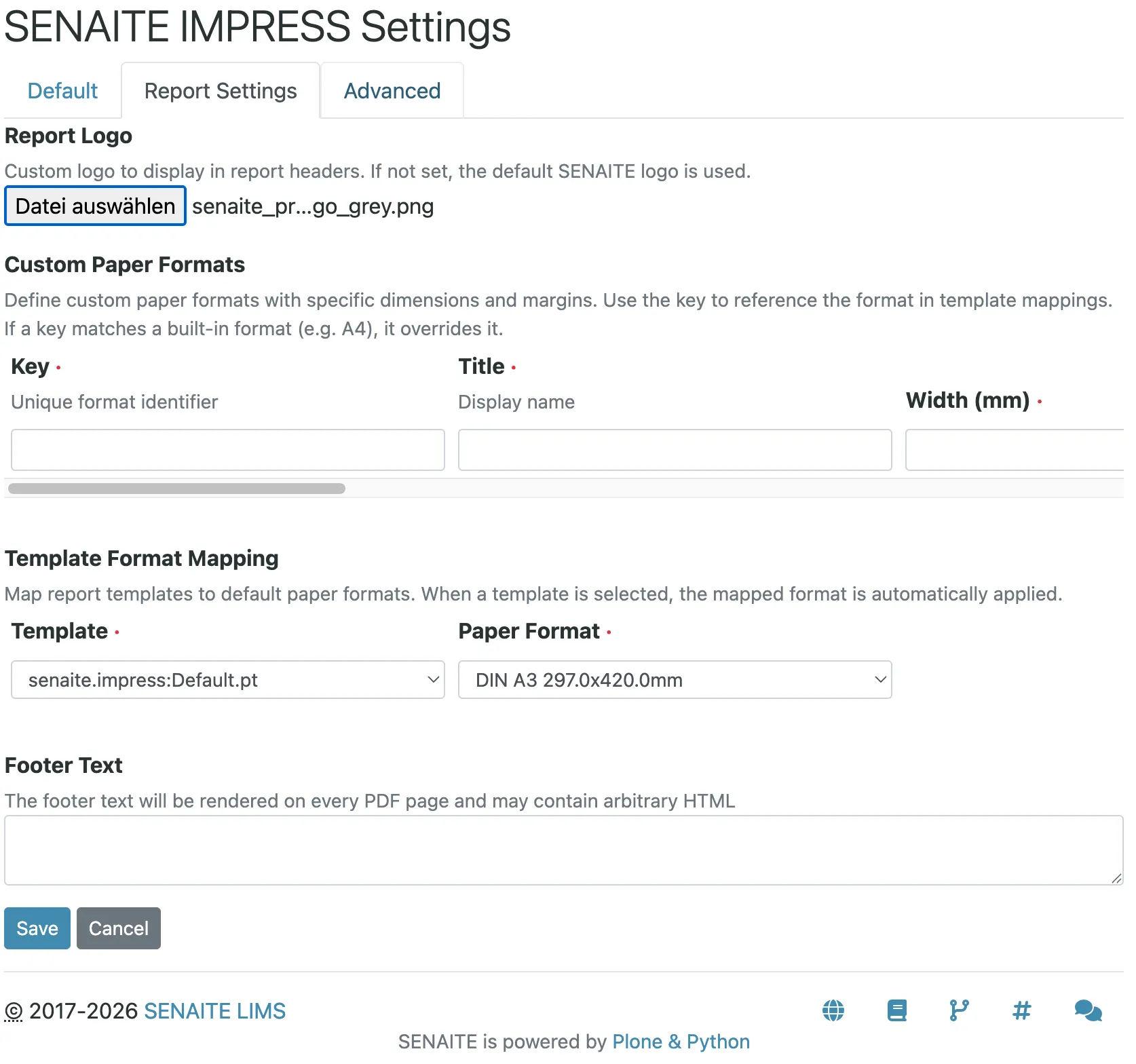
Two practical notes from setting this up with labs:
- Crop the logo tightly before uploading. The standard templates render it at a fixed height of 30 pixels and scale the width to match, so white space around the logo makes the logo itself smaller, and a tall logo ends up tiny.
- Labs with their own report templates get the same logo by
replacing their hard-coded image with the helper
view/get_report_logo_url, which the report views provide. Until then a custom template keeps whatever image it references.
Paper formats
The built-in formats cover A4, Letter and their relatives. Some reports need something else: an A5 certificate, a half page for the chain of custody, or a sheet with a pre-printed letterhead that needs a wider top margin.
The Custom Paper Formats grid defines them. Each row has a key,
a title, width and height in millimetres, and the four margins. The
key is how the format is referenced elsewhere, and a key that
matches a built-in format, such as A4, overrides it. That is the
clean way to give every A4 report a 40 mm top margin for
letterhead paper without touching a template.
A fixed format per template
The Template Format Mapping grid binds a report template to a paper format. When someone selects that template in the publish view, the mapped format is applied automatically.
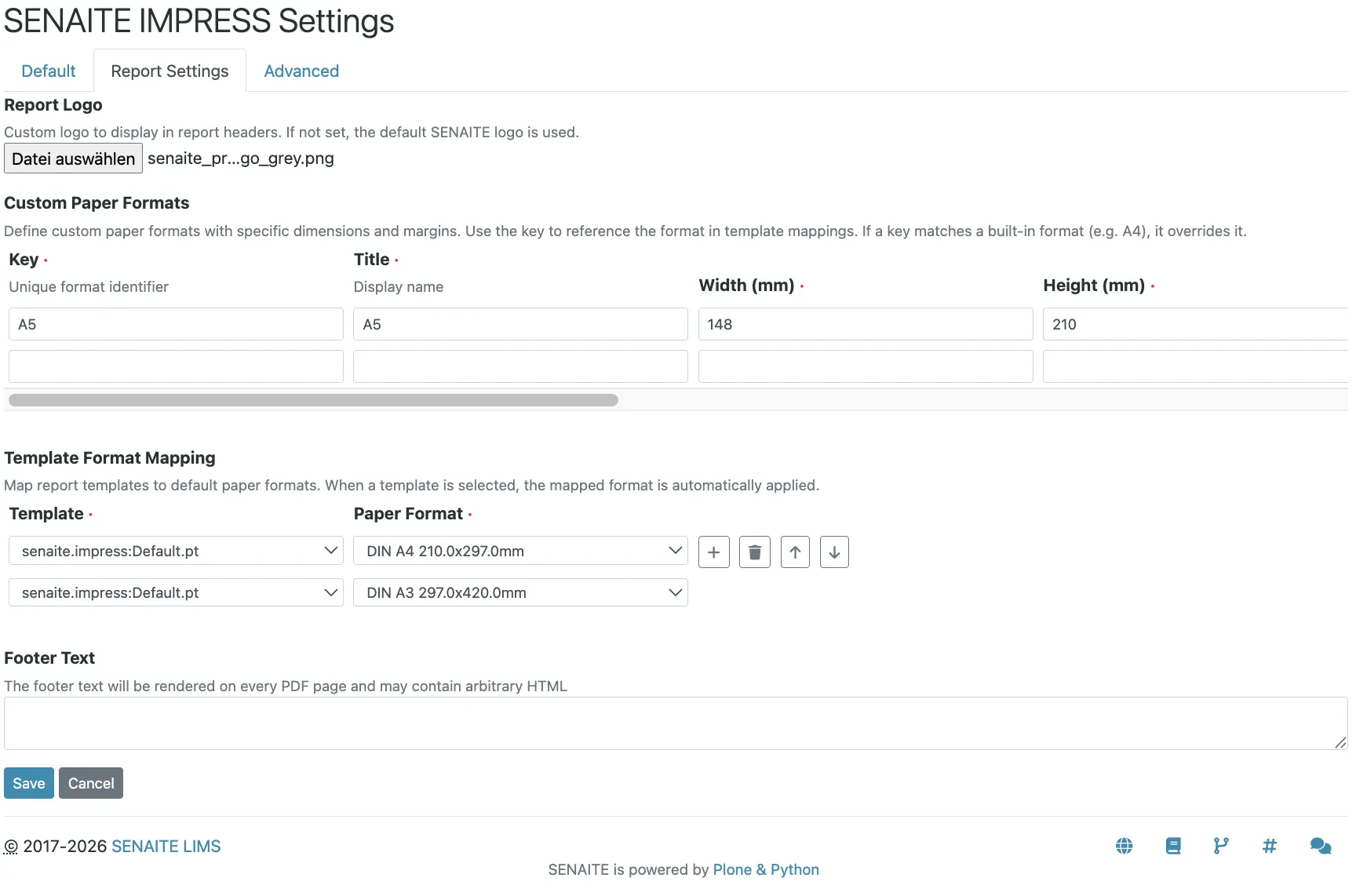
A worked example: a lab sends standard reports on A4 and a certificate of analysis for one product line on A5 landscape.
- Add a format with key
A5L, titleA5 landscape, width 210, height 148, margins 10 mm all round. - Map the certificate template to
A5Land the standard template toA4. - Remove templates nobody uses from Available Templates, so the publish view offers only the two that matter.
From then on the person publishing picks the template and gets the right paper without choosing it separately.
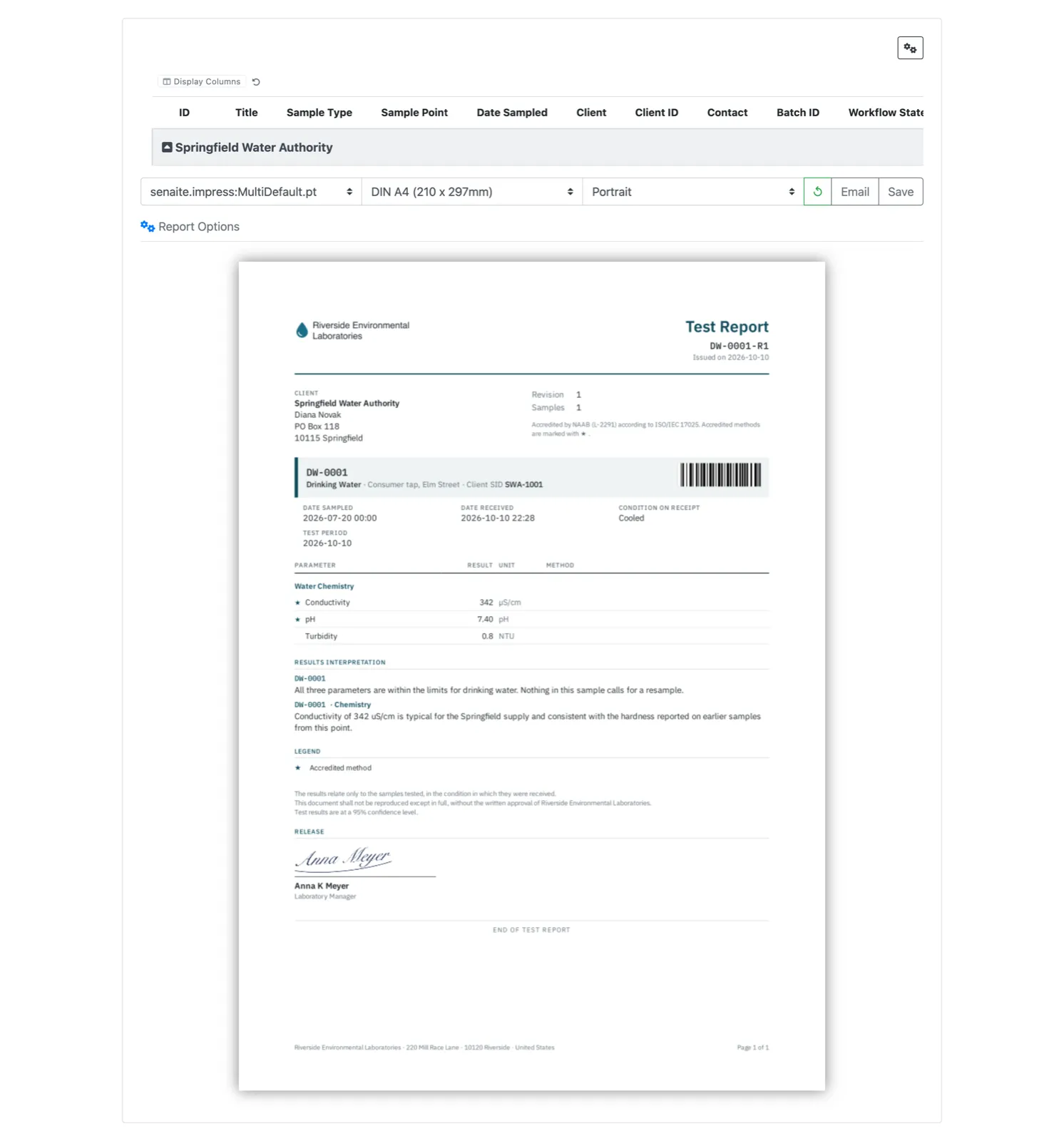
The default template itself is being reworked for the reporting requirements of ISO/IEC 17025 (senaite.impress #175, open at the time of writing). The preview below already uses it, with the lab logo in the header and the accreditation statement next to the client block:
What happens when one report in a batch fails
Publishing many samples at once raises a fair question: what if report 37 of 50 fails?
Each PDF of the run is stored and committed on its own, one after the other. If report 37 fails, reports 1 to 36 are already saved, report 37 leaves nothing half-written behind, and the run stops there, so 38 to 50 are not created. After fixing the cause you publish the remaining samples again; the ones already done do not need to be repeated. Report creation is also limited to one at a time, so two people publishing at the same moment do not collide.
Whether a report covering several samples is stored once or once per sample is a separate setting, Store Multi-Report PDFs Individually, on by default. On means every sample carries its own copy of the PDF, which is what most labs want when clients look up their reports per sample.
Smaller fixes worth knowing
- Attachments uploaded shortly before publishing now appear in the report, even if the catalog has not caught up with them yet.
- Accreditation body logos render again after the laboratory
settings were moved to the new content type in
senaite.core. - Batch labels no longer break the rendering.
Before you upgrade
If you never customised reports, nothing changes until you upload a logo. If your logo lives in a customised template or a separate add-on, plan to move it to the control panel and retire the customisation. If you maintain a paper format in code, recreate it as a custom format with the same key and remove the code once the reports look identical.